Pack electronics by the original-box hierarchy: the manufacturer's packaging first, a purpose-made TV kit second, and a careful blanket wrap third. Photograph the back of every setup before unplugging, bag and label cords per device, and tape each bag to the machine it belongs to. Flat screens travel upright in their orientation of use, wrapped and slotted snug, never laid flat where road bumps can flex the panel.
Small electronics ride padded in the calm center of a container, laptops stay in the car with you, and anything that traveled cold gets a few hours at room temperature before it powers on.
Two rules govern every electronic you own
Strip away the model numbers and packing electronics comes down to two rules. Rule one: a device is safest in the packaging engineered for it, and everything else is a substitute ranked by how closely it imitates that packaging. Rule two: the setup is half the cargo. A TV that arrives perfect but whose cables live in an unlabeled grocery bag is a project, not a success.
The good news is that electronics are the most predictable category in the house. Nothing here needs to breathe, nothing spills, and every risk is mechanical or thermal. Follow the sequence below and the media shelf goes back together in an evening.
The original-box hierarchy
When it is time to contain a device, work down this ladder and stop at the first rung you can reach.
Rung one: the original box, with its molded foam. It was designed by the manufacturer to survive a freight network, which makes it overqualified for a trip across the Willamette. This is the reason to keep TV boxes in the garage rafters between moves.
Rung two: a purpose-made kit. Flat-screen boxes with foam corners are sold and sometimes rented; for a large or high-end panel they are worth real money. Check current prices at moving suppliers.
Rung three: a well-executed improvisation. Foam corners or thick towel padding on every edge, a moving blanket wrapped fully around, tape that touches only the blanket, and a snug upright slot in the vehicle. Most TVs in most local moves travel this way and arrive fine, provided the next section's rule is obeyed.
The factory already solved this. Keep the box.
The photo-first cable ritual
Before a single plug comes out of the wall, do this for each setup: the TV stand, the desk, the router shelf.
- Photograph the back of everything while it is still connected: wide shot, then close-ups of each port cluster. Thirty seconds now saves an evening later.
- Unplug one device at a time and coil its cords loosely; tight winding stresses the wire at the connector.
- Bag cords per device, one zip-top bag each, labeled with a marker: TV power, soundbar optical, desk monitor. Remotes go in the bag of the device they command.
- Tape each bag to its device where the tape touches plastic housing, never a screen or a vent. For screens, collect the bags in one clearly labeled parts container instead.
- Pull the discs and drives. Eject anything inside consoles and players; a disc left in a moving console can score itself against the drive.
- Bag the mounting hardware. Wall-mount bolts, spacers, and the TV's stand screws go in their own labeled bag taped to the bracket, not the screen. Losing four odd-sized bolts costs a week of a bare wall.
Screens travel upright. Always.
A flat-panel TV is a sheet of glass tensioned inside a thin frame, engineered to hang or stand vertically. Lay it flat and every bump in the road flexes the panel against its own weight, and panel flex is the failure that shows up as a spiderweb or a dead band of pixels when you power on at the new place. So the rule has no exceptions worth listing: screens ride upright, in their orientation of use, wrapped in a blanket, slotted between mattresses or behind a sofa cushion wall where nothing can fall against them.
Carry TVs with two people for anything above modest size, keep the screen facing away from door frames, and never grip a panel by its edges harder than you must. At the truck, upright means upright the whole ride; a TV laid down for just the last ten minutes is still a TV laid down.
Device by device: how each one rides
| Device | How it travels | The mistake that hurts it |
|---|---|---|
| Flat-screen TV | Upright, blanket-wrapped, slotted snug between soft flat things | Riding flat under the box spring |
| Desktop computer | Padded on all sides, riding on a stable base, mid-load | Loose in a trunk with tools |
| Laptops and tablets | In your personal bag, in the car with you | Anywhere on the truck at all |
| Game consoles and hard drives | Wrapped, centered in a padded container, discs ejected | Tossed on top of a packed load to shift for miles |
| Speakers and soundbars | Wrapped with corners padded, grilles facing padding | Stacking weight on a speaker cone |
| Routers, cables, remotes | Bagged per device, one labeled parts container | The anonymous bag of mystery cords |
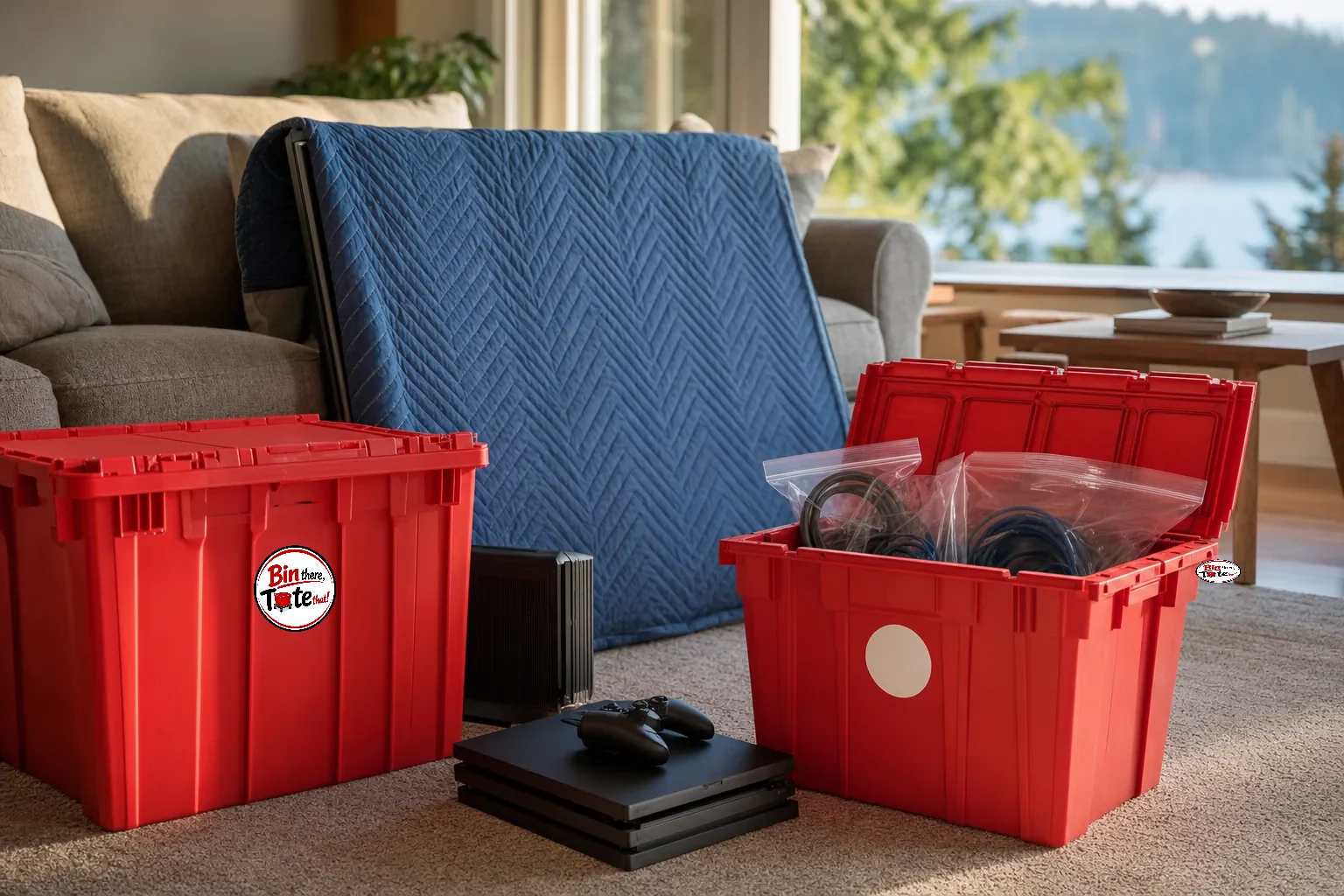
Notice the pattern in the middle column: padded, centered, stable. Small electronics want to ride in the calm center of a container with soft cargo on every side, never floating free where they become projectiles. A rigid tote does this well: consoles, the router, the cable bags, and the speaker set for a whole living room pack into one lidded container that stacks square in the truck and shrugs off a wet driveway. TVs themselves are the honest exception, since no tote fits a flat panel; for everything else on the shelf, one of our flat-rate tote packages covers the media center with room left for the office, delivered and collected free across Portland and Vancouver.
The car is not a storage unit
Electronics tolerate the move itself better than the waiting around it. Two cautions worth taking seriously. Heat first: a closed car in the sun goes far above outdoor temperature, and batteries, adhesives, and screens all resent it, so load electronics last and unload them first rather than leaving them in a parked vehicle over a summer afternoon. Cold second: a device brought inside from a cold truck can form condensation as it warms, and moisture inside powered electronics is a genuinely bad pairing. Let anything that traveled in winter sit at room temperature for a few hours before plugging it in. Patience is the cheapest protection on this whole page.

Original box or blanket wrap: pick honestly
- The panel is large, curved, or expensive to replace
- The move involves a long haul or someone else's truck
- The original packaging still lives in your garage
- The trip is short and you control the loading
- You can slot the screen upright between mattresses
- Two careful people are available for the carry
One last placement note: whatever carries your electronics should load after the heavy furniture and ride where nothing can shift into it; the geometry of that is covered in our guide to loading the truck in the right order. And before packing day, check the shortlist of things that should never ride in the truck at all, batteries included, in the do-not-pack list. The rest of the room-by-room playbook lives in the complete moving tips collection.

Written by the Bin There, Tote That! team
We rent, deliver, wash, and pick up moving totes across the Portland and Vancouver metro every week, so the advice here comes from vans and doorsteps, not a content mill. Facts about competitors are checked at publication and date-stamped in the text.